RTO Help Center: Comprehensive Guides & FAQs for E-Commerce Marketers

Shopify Integration: Step-by-Step Setup & Best Practices

Google Ads & Facebook Ads: Advanced Tracking & Optimization Tips

TikTok Ads: Server-Side Tracking & Performance Metrics

Installation & Setup: Seamless Onboarding with RTO

Data & Reporting: Understand Your Campaign Performance

Technical Support: Get Expert Assistance When You Need It

Help Center (FAQs)

How to get the TikTok test event code?

After you set up server events using the Conversions API, you can use test event code to test events sent from your server through the Conversions API. Here's how you can find test event code.

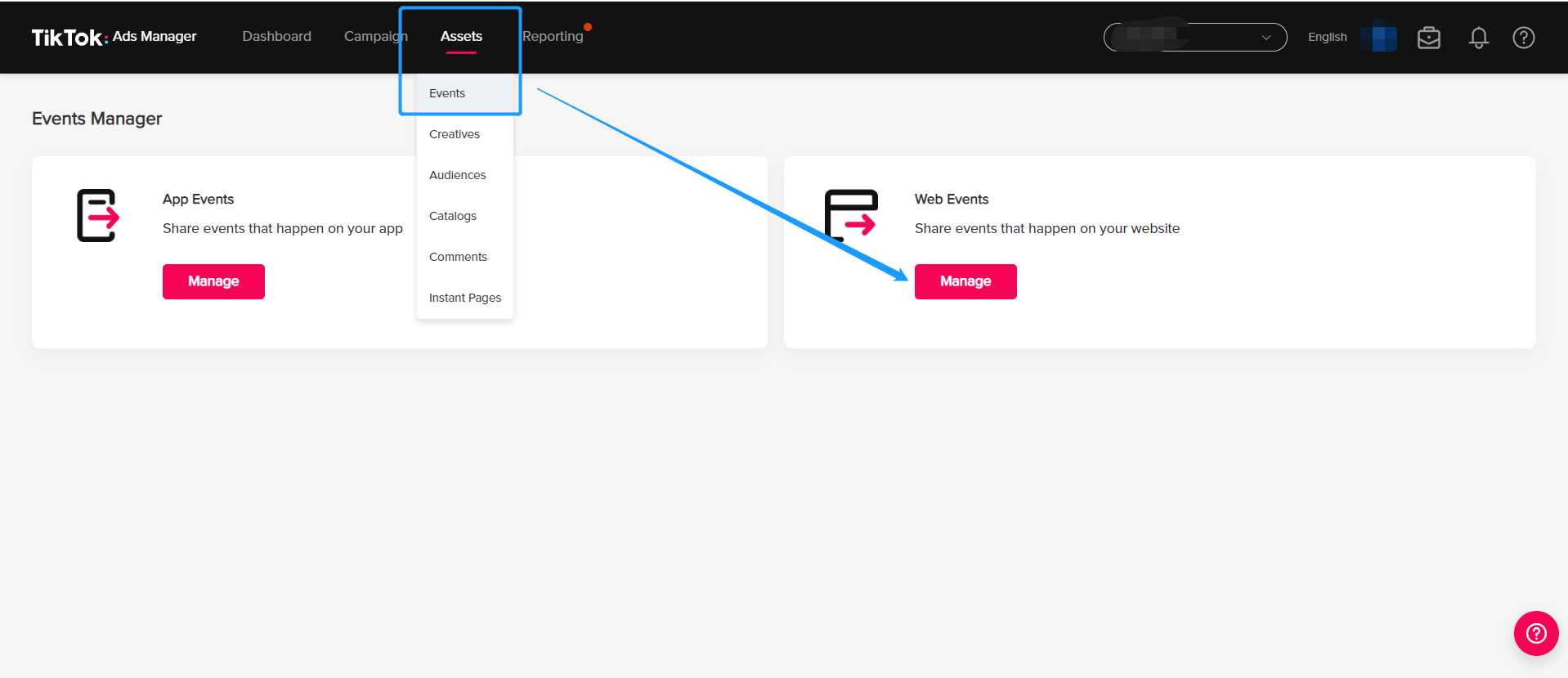
Step 1: Go to your TikTok ads Manager>Assets>Events>Web events
undefined

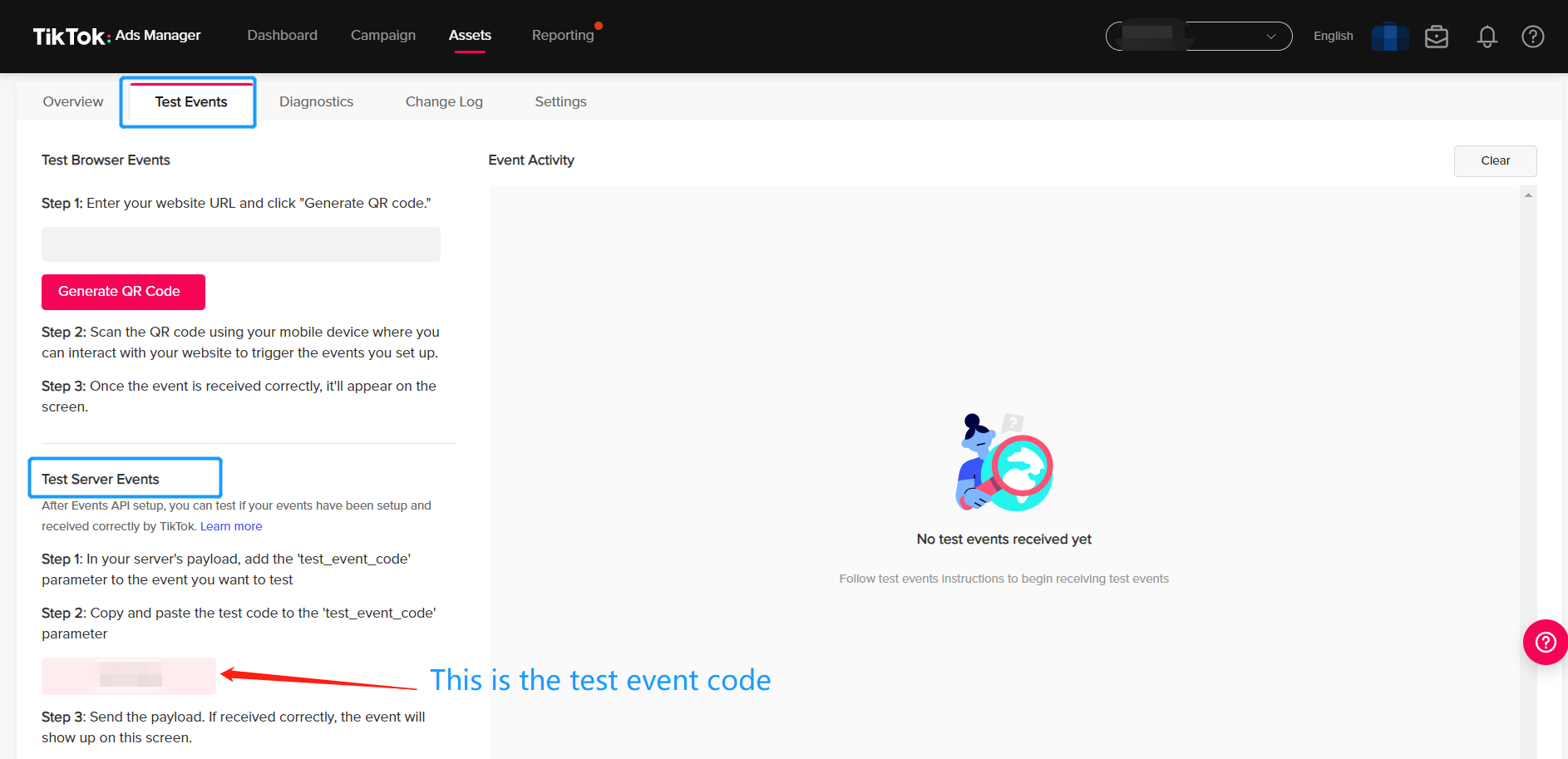
Step 2: Select the pixel ID you want to test event and choose Test Events tab,copy the test event code and paste into the Omnitrack app
undefined

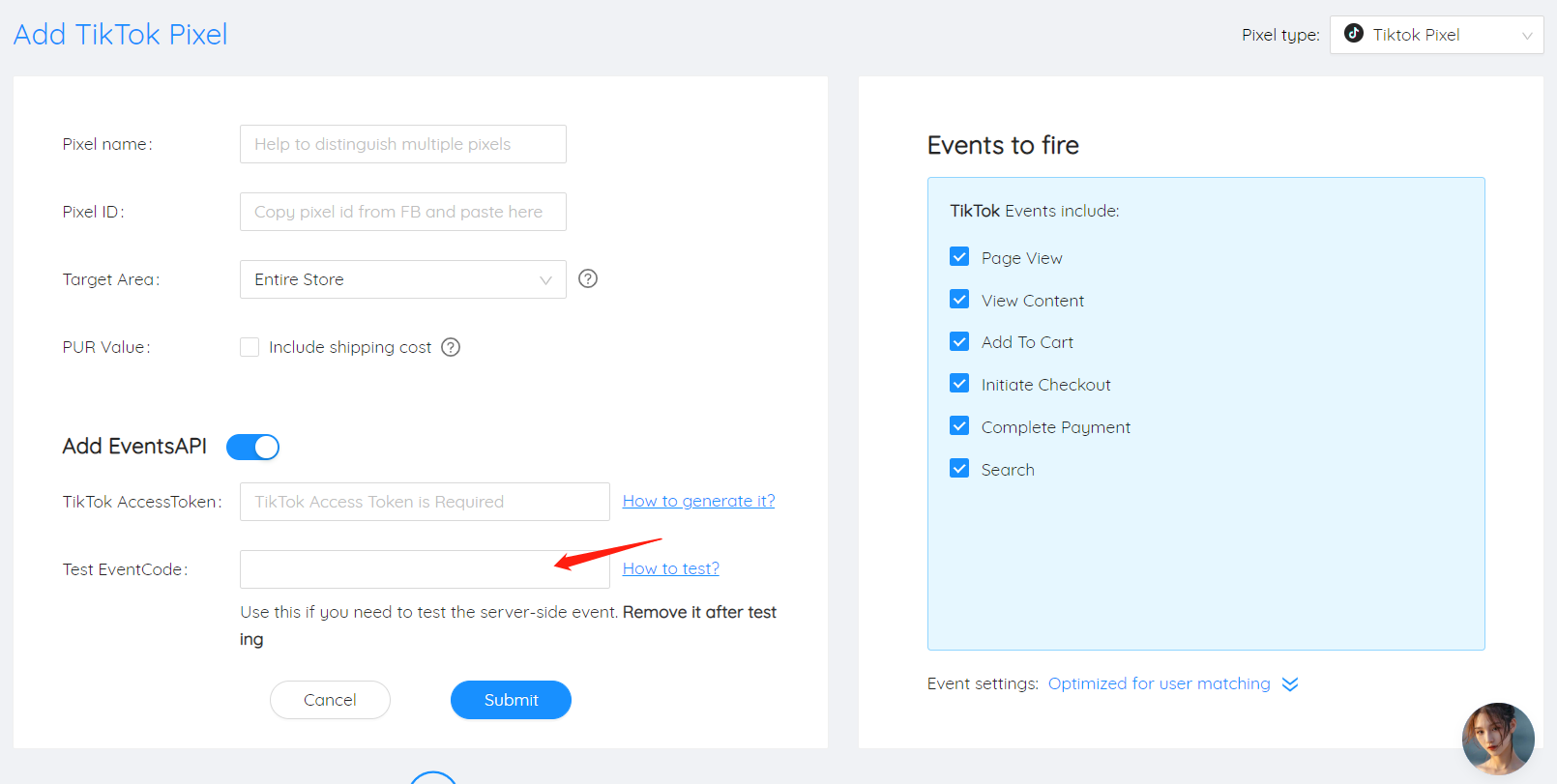
Step 3: Paste the code into our app

undefined