
RTO Help Center: Comprehensive Guides & FAQs for E-Commerce Marketers

Shopify Integration: Step-by-Step Setup & Best Practices

Google Ads & Facebook Ads: Advanced Tracking & Optimization Tips

TikTok Ads: Server-Side Tracking & Performance Metrics

Installation & Setup: Seamless Onboarding with RTO

Data & Reporting: Understand Your Campaign Performance

Technical Support: Get Expert Assistance When You Need It

Help Center (FAQs)

How to find the TikTok Access Token?

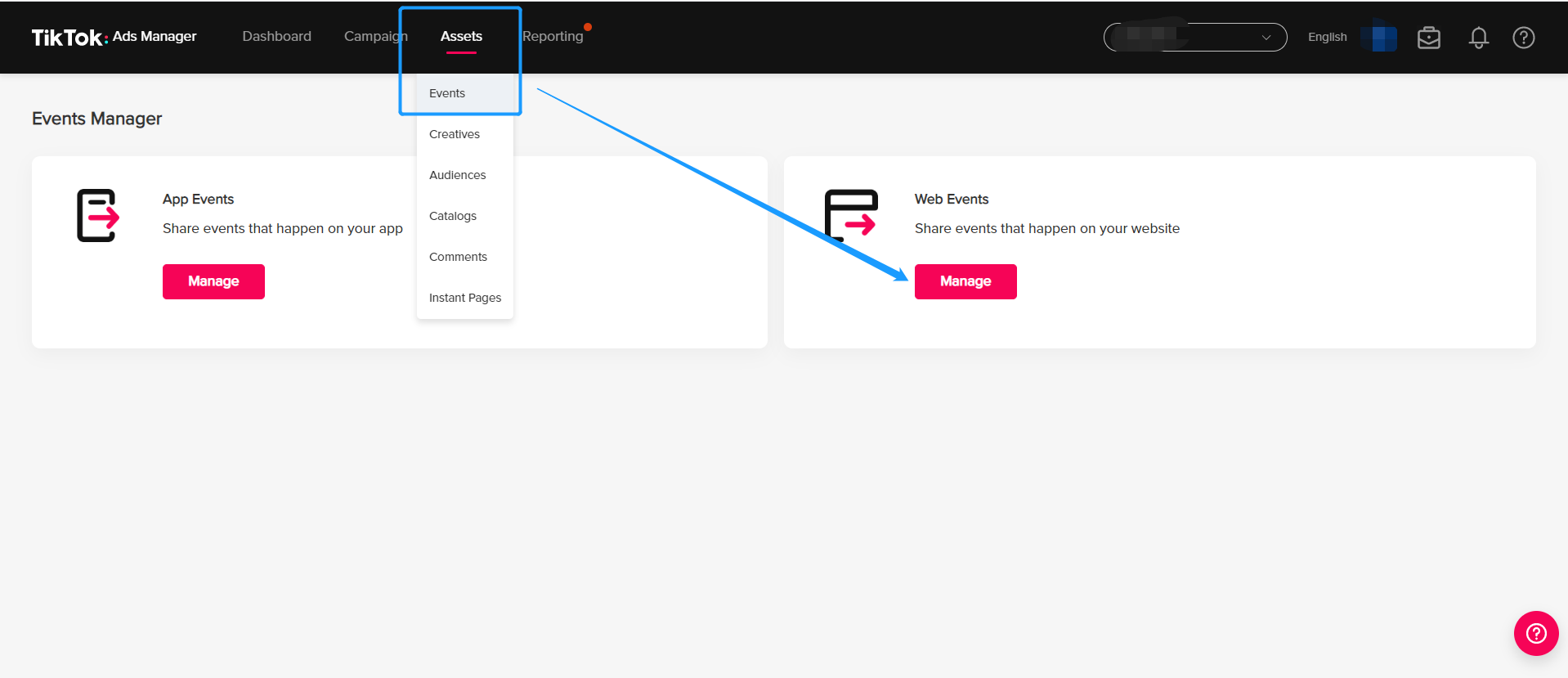
Step 1: Go to your TikTok ads Manager>Assets>Events>Web events
undefined

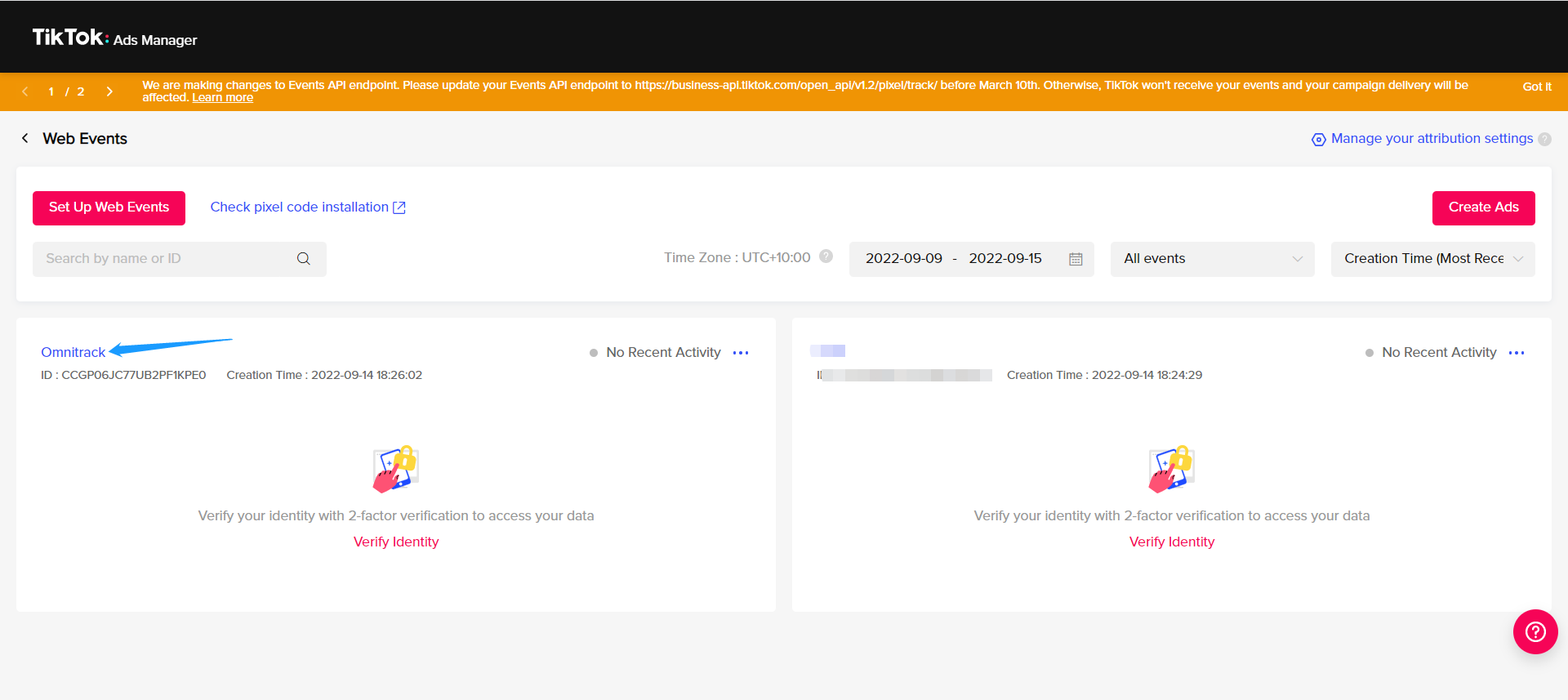
Step 2: Choose the Pixel ID you want to set up conversion API
undefined

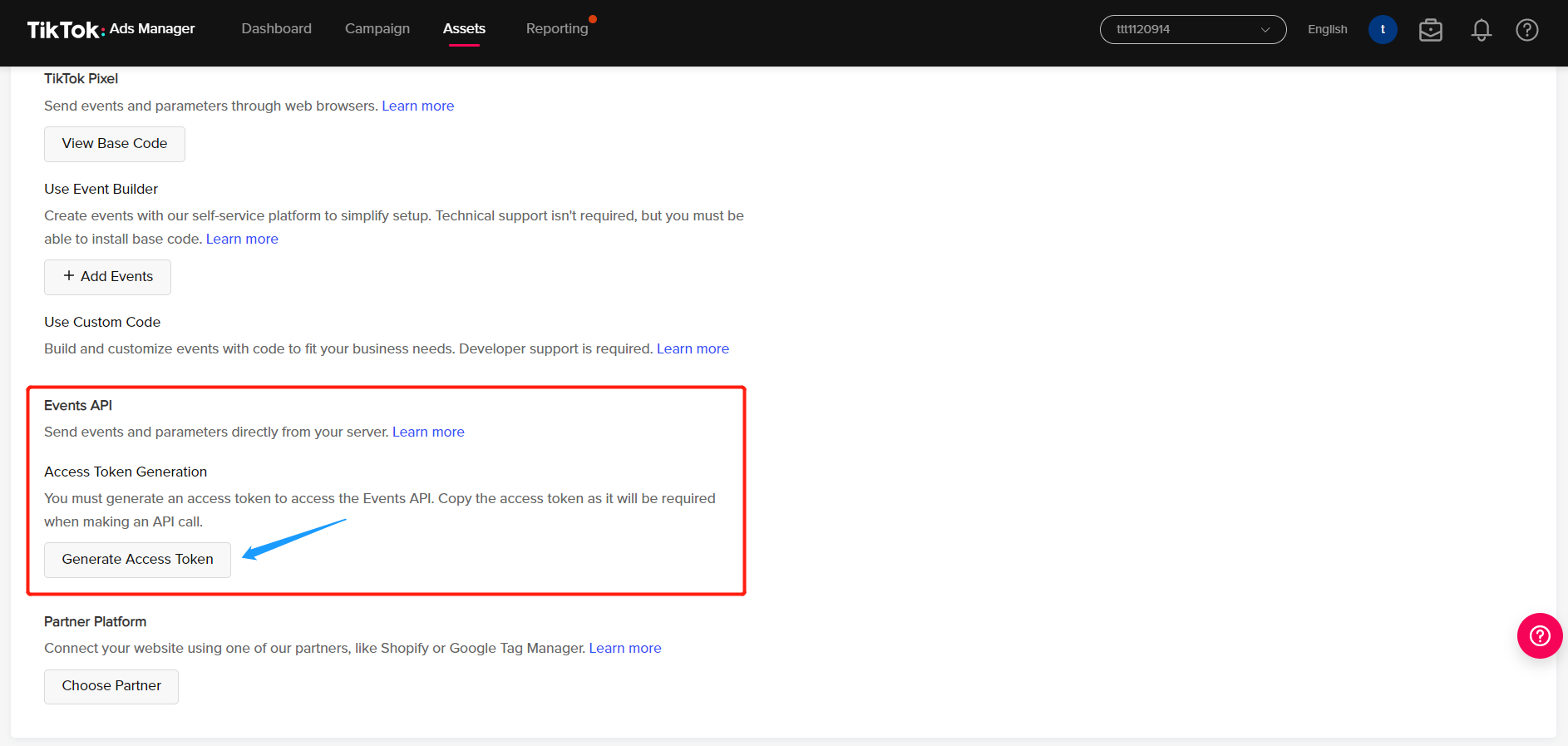
Step 3: Go to Settings tab of the Pixel, scroll down and click Generate access token under Events API>Set Up Maunally section
undefined

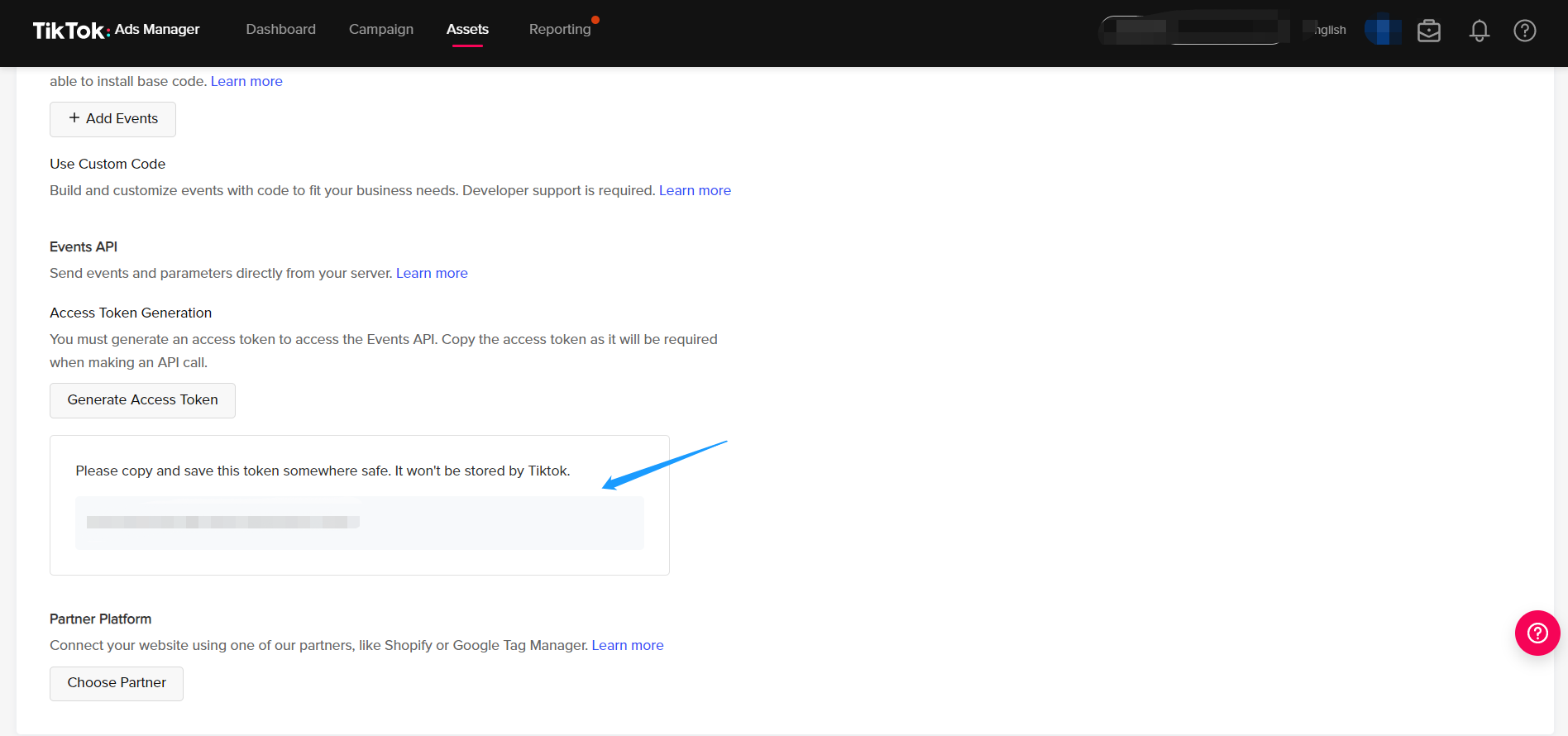
Step 4: Copy the token appearing, make sure you save it somewhere else as TikTok won't store it.
undefined

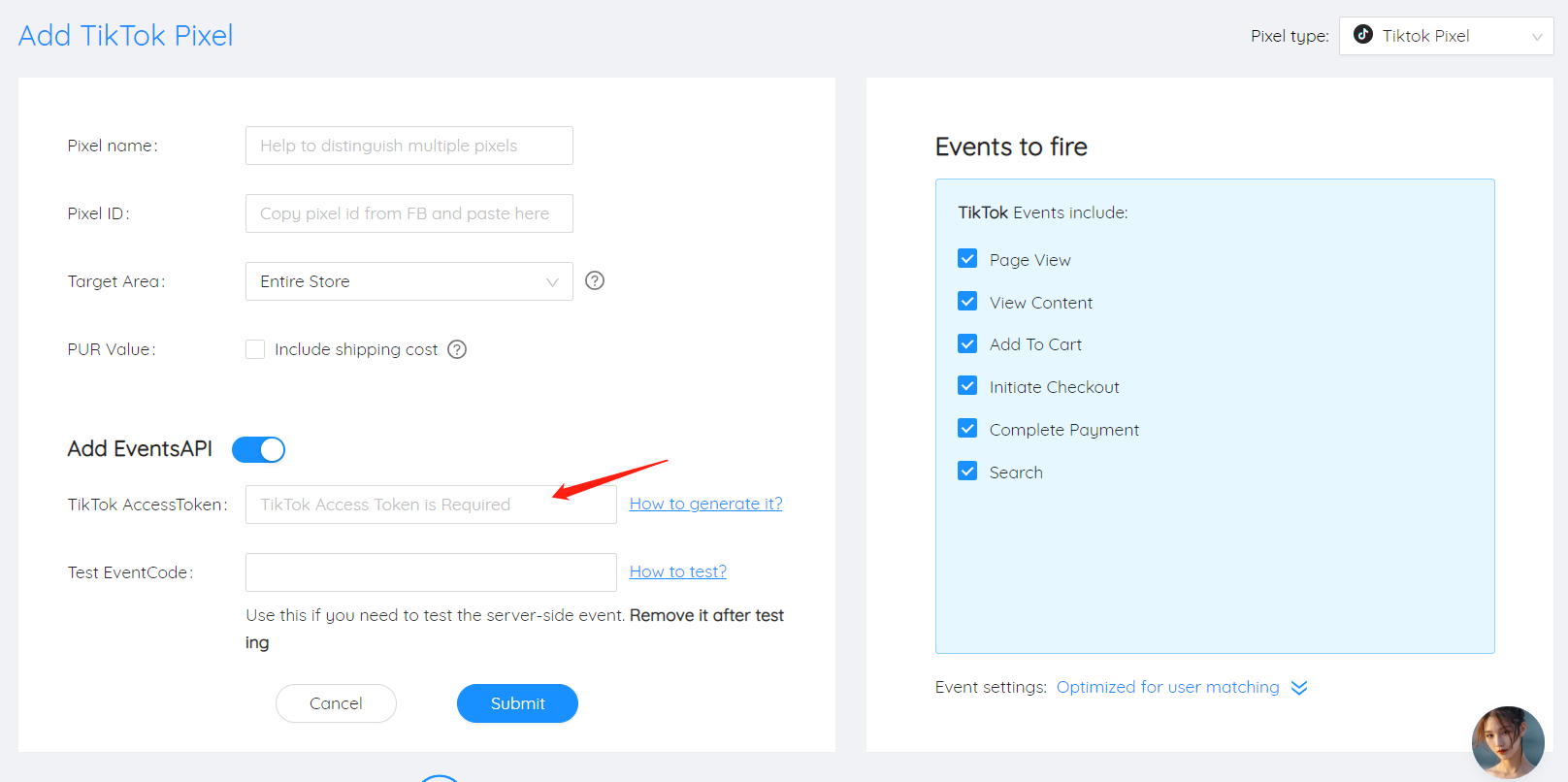
Step 5: Paste the token access into our app
undefined