
RTO Help Center: Comprehensive Guides & FAQs for E-Commerce Marketers

Shopify Integration: Step-by-Step Setup & Best Practices

Google Ads & Facebook Ads: Advanced Tracking & Optimization Tips

TikTok Ads: Server-Side Tracking & Performance Metrics

Installation & Setup: Seamless Onboarding with RTO

Data & Reporting: Understand Your Campaign Performance

Technical Support: Get Expert Assistance When You Need It

Help Center (FAQs)

How to enable app extension?

Why should we enable Omnitrack app extension?This action will help our app work better with your shopify through integated deeply with your shopify theme.Then your tracking data will be more accurate!

How to enable Omnitrack App extension in your shopify theme?

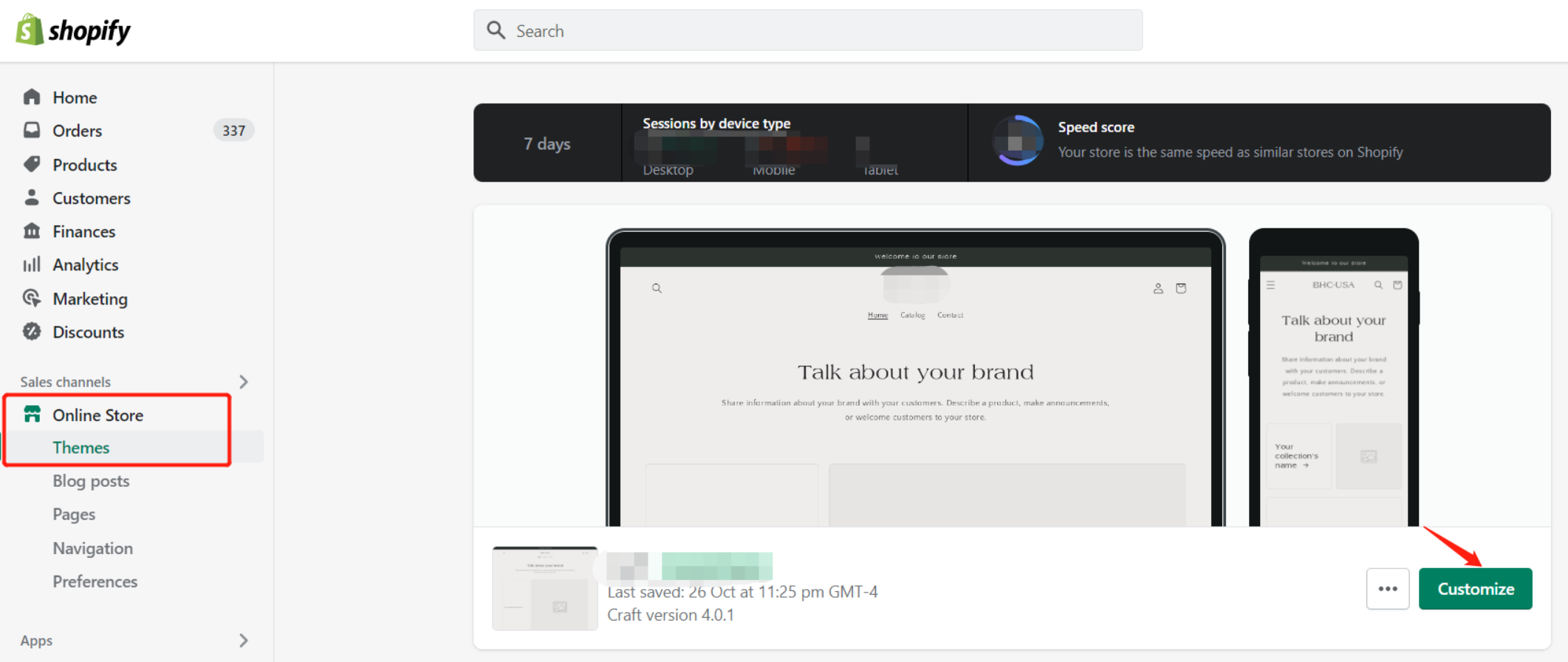
Step 1:Go to your Shopify theme editor,and click "Customize" buttom.
undefined

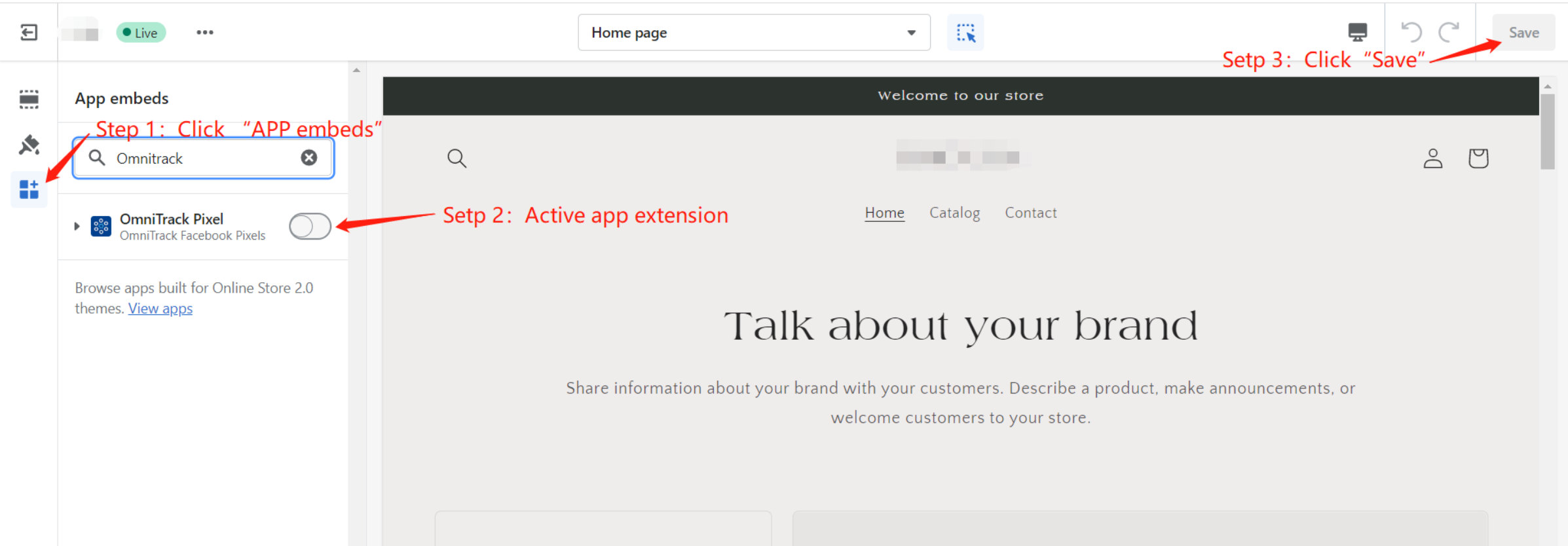
Step 2:Click "APP embeds", then active our app extension and click "Save" to finish this setting.
undefined